
SportPesa Kenya Paybill 955100
Complete guide to depositing funds to SportPesa Kenya using Safaricom Lipa na M-Pesa Paybill 955100. Learn step-by-step SIM toolkit procedures, one-click online STK push, minimum limits from KES 50, and how to resolve delayed transactions.
SportPesa Kenya Paybill Information & Limits
| Official Business Number | 955100 (Safaricom M-Pesa) |
| Secondary / Backup Paybill | 955700 |
| Account Number Field | SPORTPESA |
| Minimum Deposit Amount | KES 50 |
| Maximum Deposit per Transaction | KES 250,000 per transaction |
| Crediting Velocity | Instant (Automated B2C/C2B) |
| Fee Structure | Standard Safaricom Lipa na M-Pesa tariff |
| Offline USSD Access | *790# |
| SMS Betting Shortcode | 79079 |
| Customer Support Hotline | 24/7 Live Chat, 0709079079 |
How to Deposit via Lipa na M-Pesa to Paybill 955100
Follow these 4 simple steps on your Safaricom SIM card to fund your account in under 30 seconds:
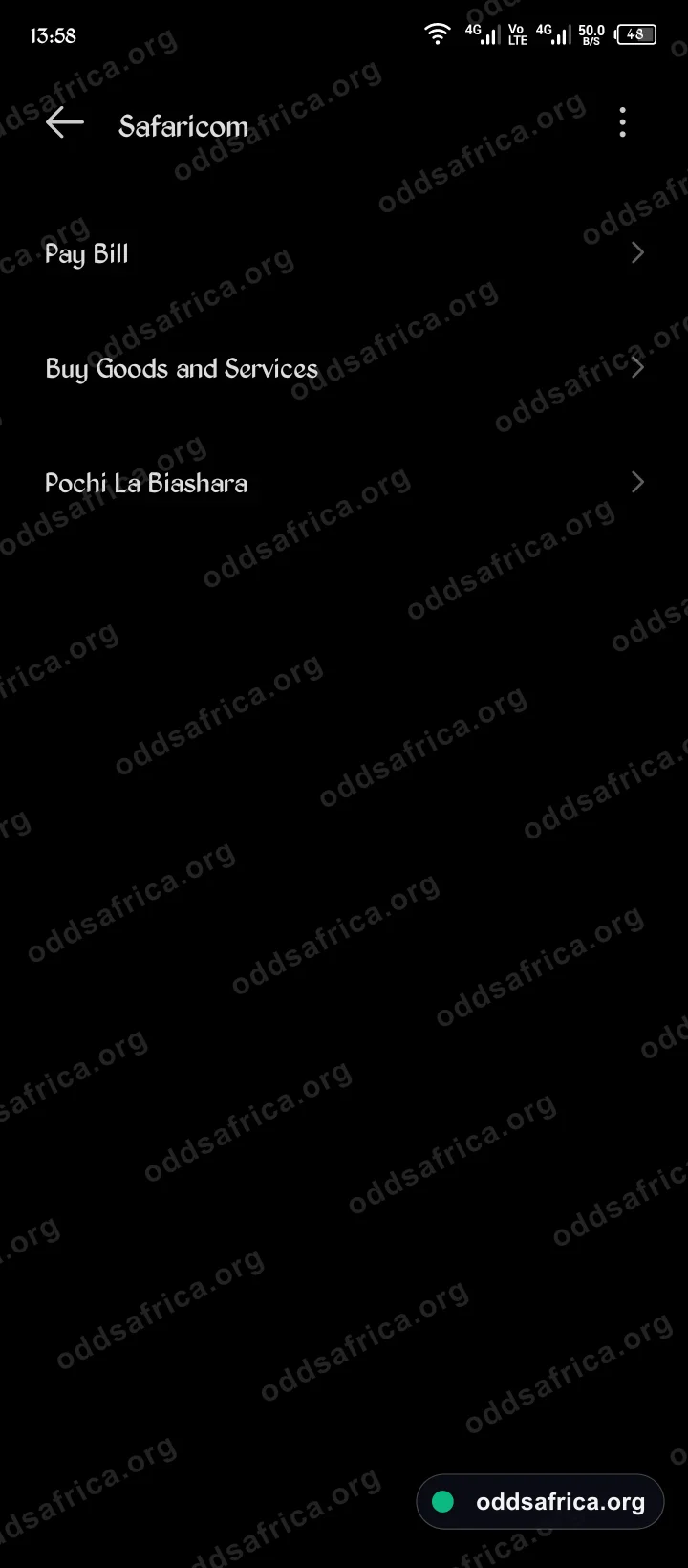
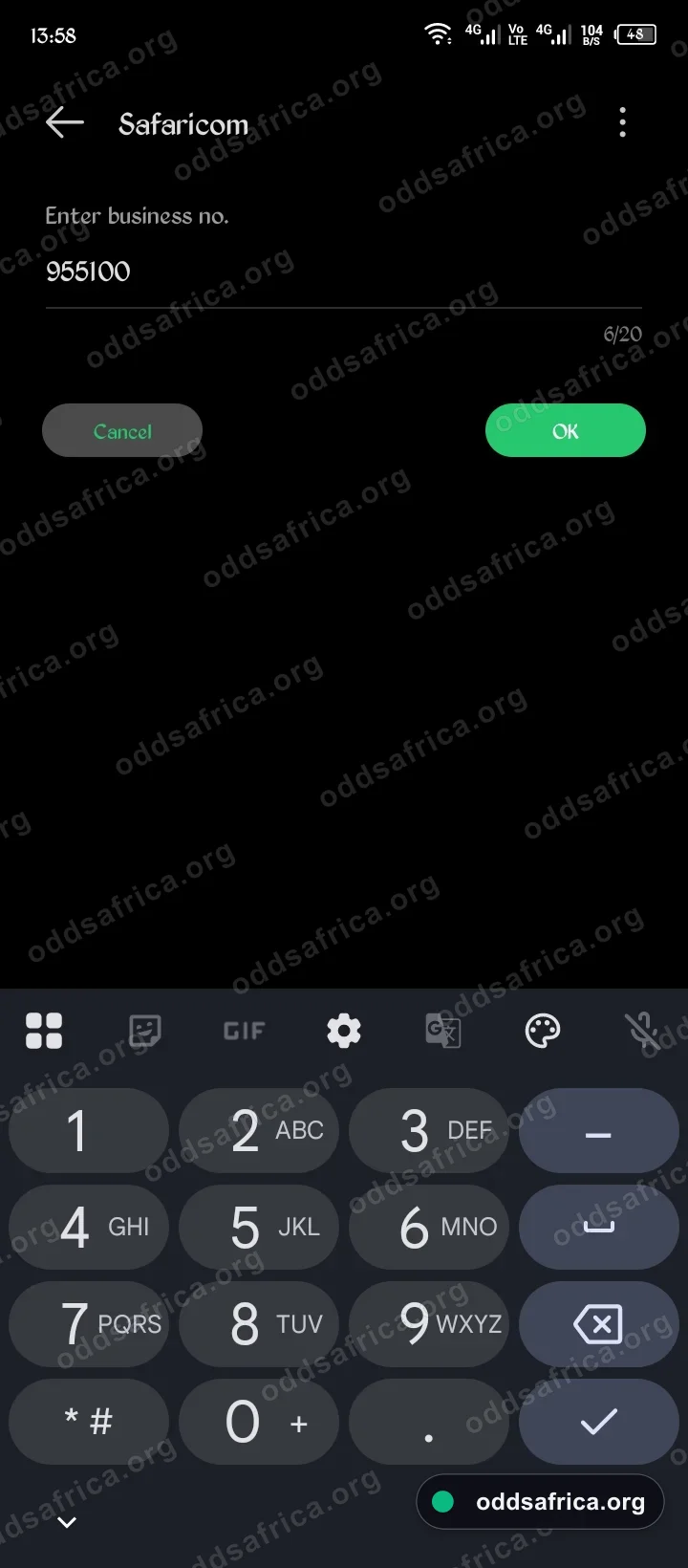
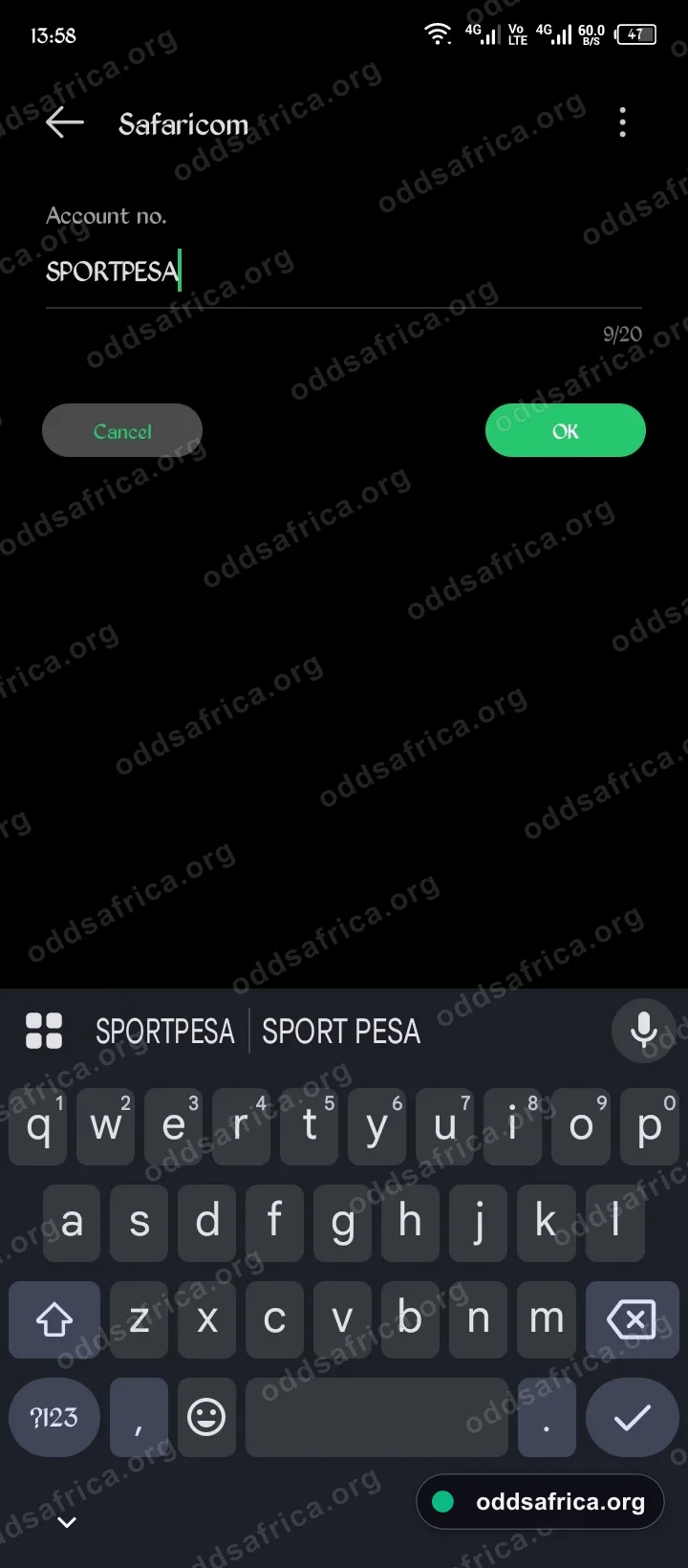
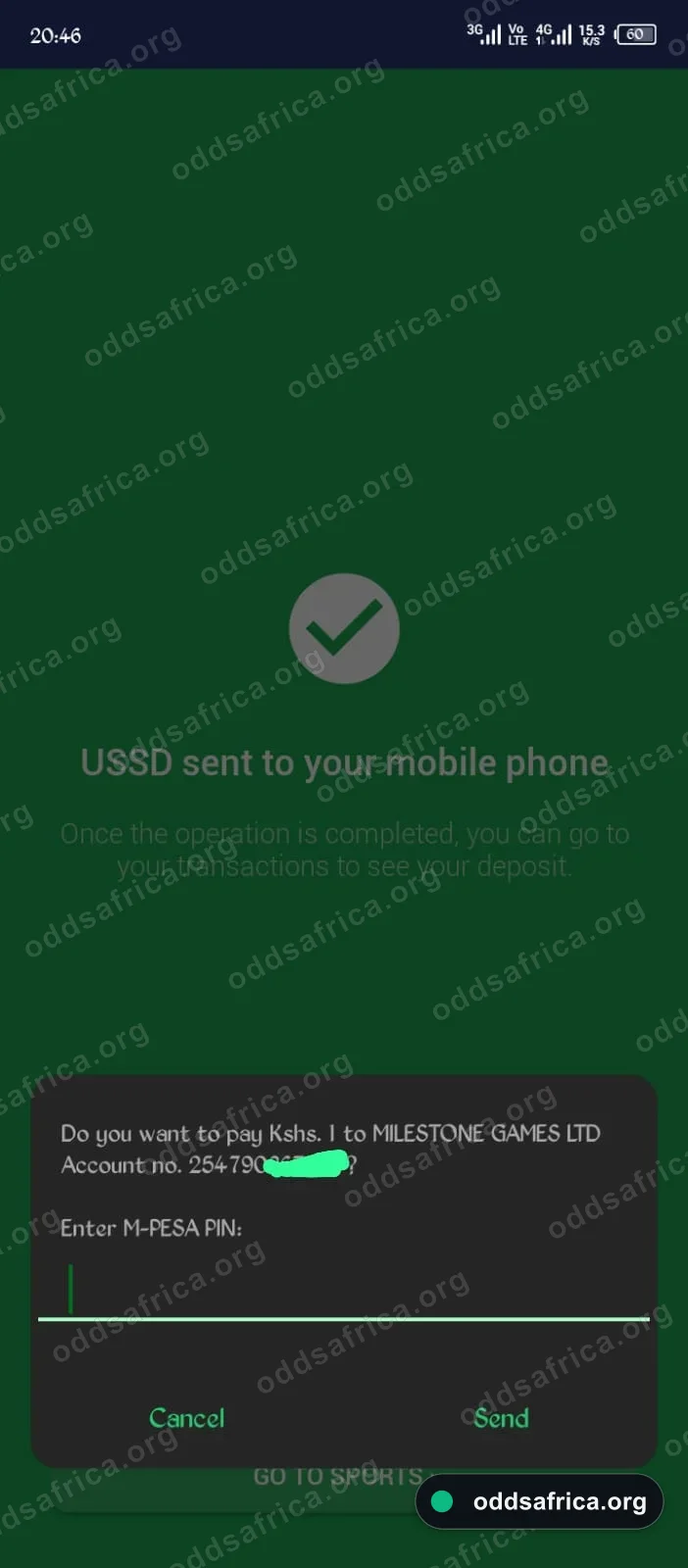
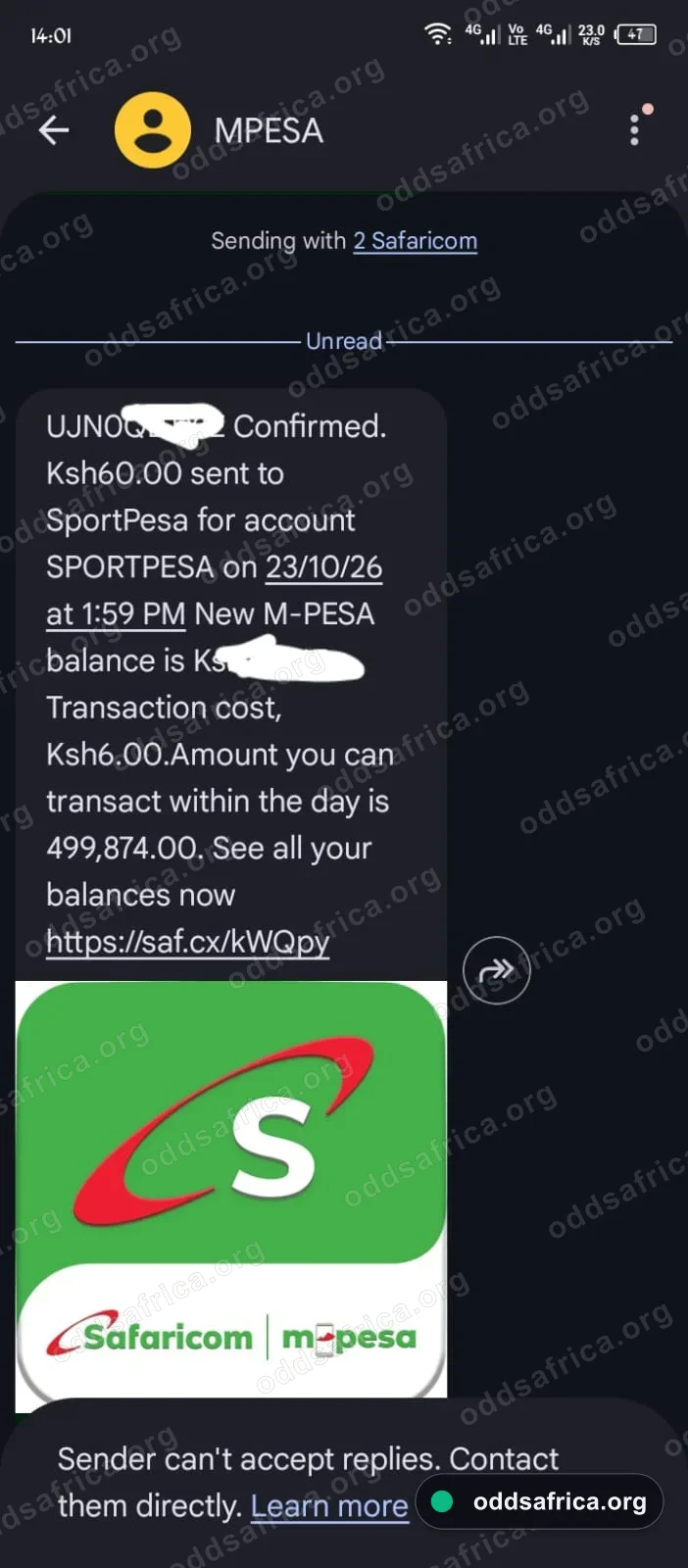
Instant B2C/C2B Confirmation SMS
Once your M-Pesa PIN is validated, Safaricom dispatches an official confirmation SMS. Always verify that the recipient entity matches Milestone Games Limited and your numeric account reference is listed. Funds clear in under 30 seconds.
Fastest Alternative: One-Click M-Pesa STK Push
You no longer have to navigate manual SIM toolkit menus. Using the SportPesa Kenya website or mobile app:
- Log in to your SportPesa Kenya account and tap Deposit.
- Enter your desired amount (from KES 50) and click Proceed / Pay Now.
- A prompt automatically appears on your mobile screen from Safaricom M-Pesa asking for your PIN.
- Enter your PIN and press Send. Your balance will update instantly with zero typing errors.
Troubleshooting Delayed Paybill 955100 Deposits
If your M-Pesa balance was deducted but your SportPesa Kenya wallet balance has not updated after 2 minutes:
- Check Safaricom Confirmation SMS: Ensure the business number is 955100 and not mistyped.
- Refresh Your Account: Tap your wallet balance or log out and log back in to trigger a balance sync.
- Check USSD Menu: Dial *790# to verify your balance via offline USSD protocol.
- Contact Support: Reach out via WhatsApp or call 24/7 Live Chat, 0709079079 with your 10-character M-Pesa transaction reference code (e.g., SKL8XXXXXX).
Explore the complete platform review, mobile app APK, or Aviator crash gaming.
SportPesa Kenya Paybill 955100 FAQs
Answers to common questions regarding M-Pesa deposits and withdrawals on SportPesa Kenya.