
Odibets App Download for Android (.APK) in Kenya (Latest Version 2026)
Looking to download the official Odibets Android APK in Kenya? At just 2.5 MB, the Odibets Lite application is engineered specifically for Kenyan internet conditions: running lag-free on budget phones, preserving valuable Safaricom data bundles, and providing instant access to Premier League live betting, Odi League virtuals, and exclusive "Zoza na App" bonus promotions.
Odibets App Technical Passport & System Requirements
| File Name | odibets.apk |
| Download Size | ~2.5 MB (Odibets Lite) |
| Minimum OS Required | Android 5.0 (Lollipop) or newer |
| Application Price | 100% Free of charge |
| Latest Version | v3.4 (Latest verified release 2026) |
| Licensed Developer | Kareco Holdings Limited (BCLB No. BK0001095 / PG-0001096) |
| M-Pesa Paybill Number | 290680 (Account: ODI) |
| M-Pesa STK Integration | Direct 1-tap phone push supported |
| Games Included | Sports Betting, EPL In-Play, Odi League Virtuals, Spribe Aviator |
| Security Protocol | 256-bit SSL Data Encryption & Biometric PIN Login |
How to Download and Install Odibets APK on Android (Step-by-Step)
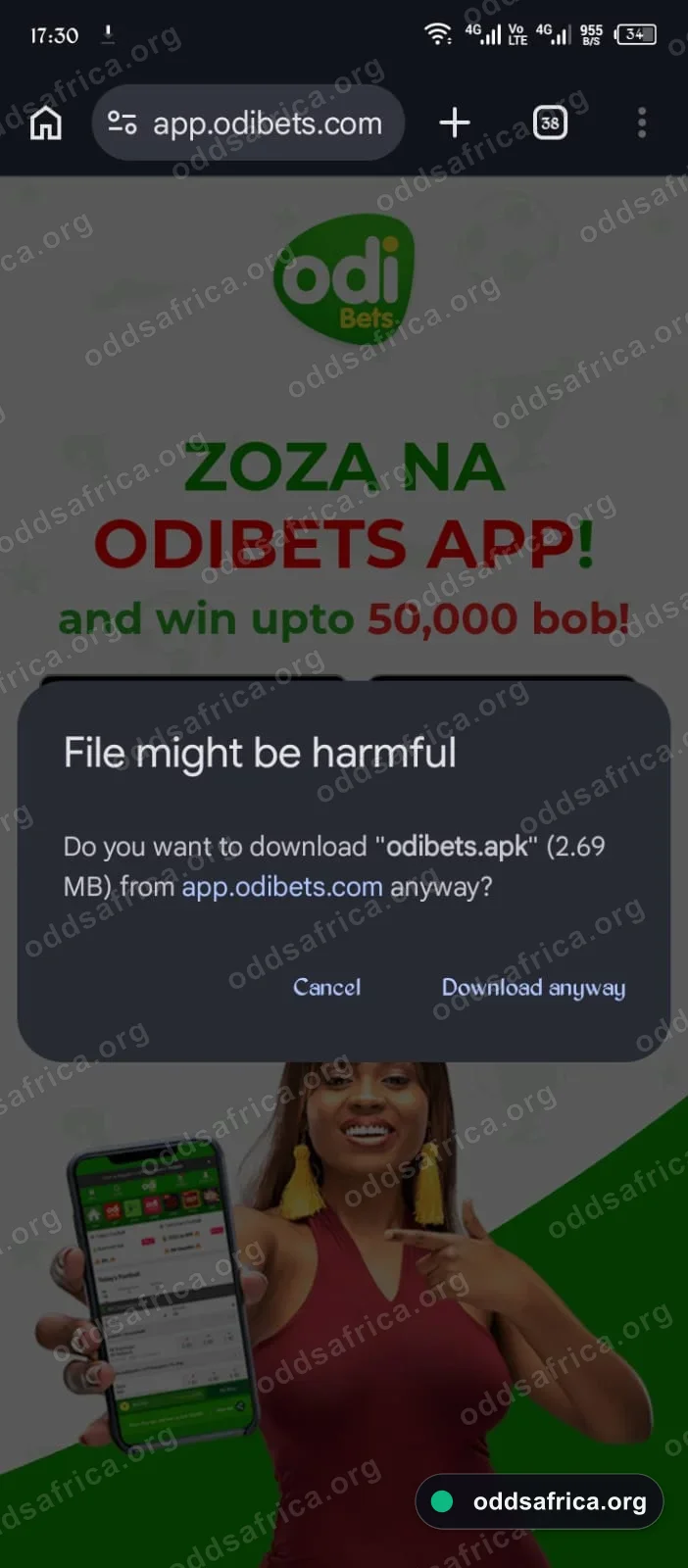
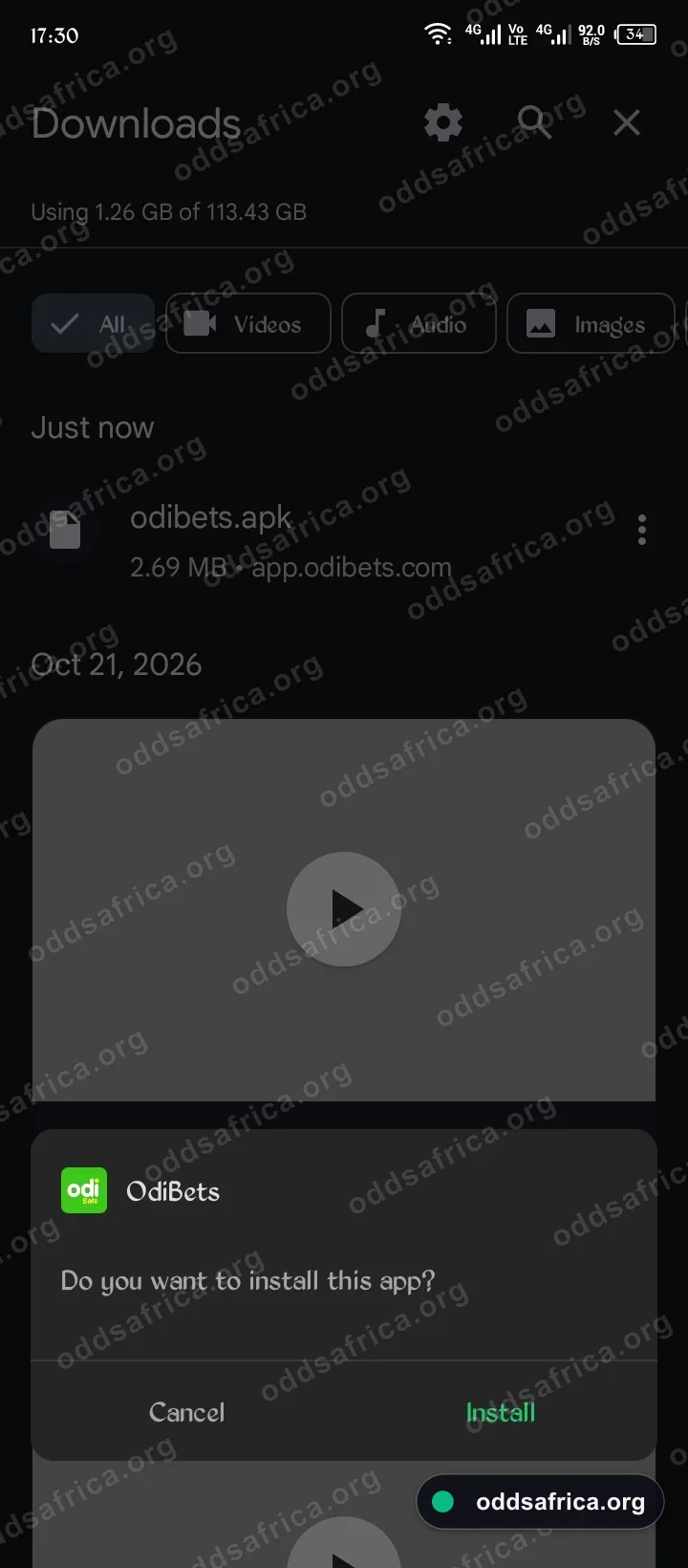
Because the Google Play Store restricts sports betting applications in the Kenyan territory, follow these 4 quick steps to install the official APK package safely:
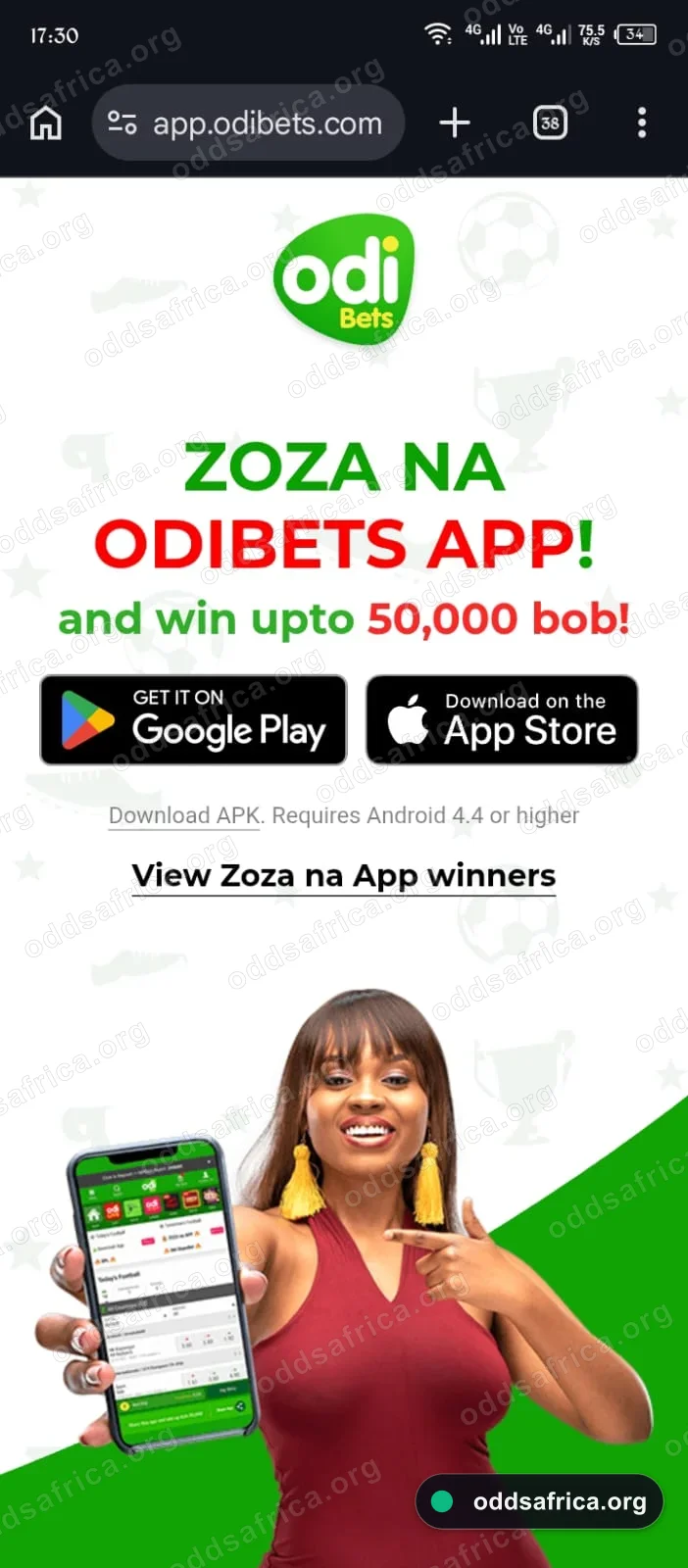
odibets.apk and tap Install. Setup finishes in 5 seconds.
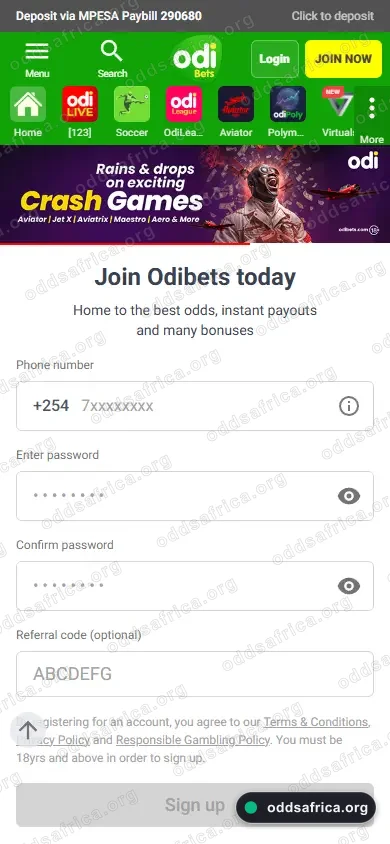
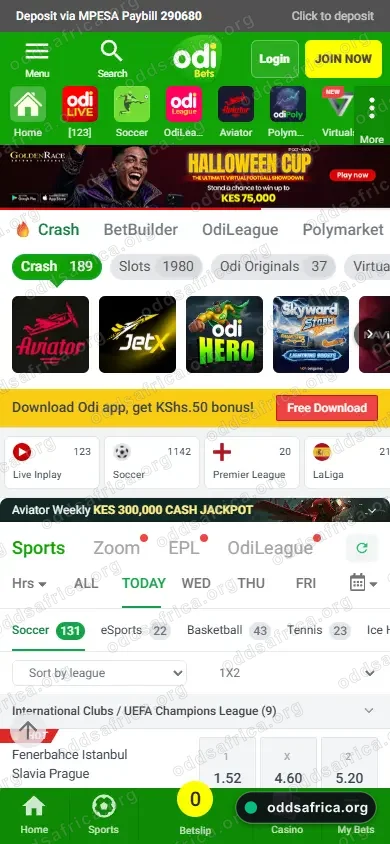
Odibets Mobile Interface & Live Gameplay Showcase
Optimized for low-bandwidth 3G/4G Kenyan mobile networks. Swipe through key touchpoints:

Why Is the Odibets App Not on Google Play Store?
Many Kenyan punters wonder why they cannot find Odibets when searching on the Google Play Store. This is not due to any problem with Odibets; Google enforces strict global and regional developer policies prohibiting real-money wagering apps from being hosted directly on Google Play in specific African regions including Kenya.
To overcome this limitation, licensed operators like Odibets deliver their software directly via direct APK (Android Application Package) distribution. The APK hosted on their verified server is fully encrypted with 256-bit SSL and undergoes continuous integrity testing to guarantee it is 100% free of viruses, malware, or unwanted bloatware.
Exclusive Odibets App Bonuses: "Zoza na App" & Daily Cashback
Odibets actively rewards mobile punters who place their wagers through the native Android app rather than the desktop site:
"Zoza na App" Daily Cash Draws
By simply placing an accumulator bet of at least KES 49 with combined odds of 7.99 or higher on the app, you automatically enter the daily "Zoza na App" prize draw. Lucky players win instant cash prizes and smartphone data bundles credited directly to their balances.
Daily First Bet Cashback
If your first mobile app bet of the day loses, Odibets credits a 10% cash stake refund directly to your account. This provides a safety net on high-stakes matchdays and accumulator slips.
Key Features of the Odibets Mobile Application
Ultra-Lightweight (2.5 MB)
Engineered specifically for Kenya's popular Tecno, Infinix, and Itel smartphones with limited RAM, ensuring zero lag or freezing during high-traffic moments.
Data-Saving Mode
Advanced asset caching reduces network bandwidth by up to 75% compared to regular mobile browsers, keeping your Safaricom data costs to a bare minimum.
Instant EPL In-Play Betting
Live Premier League, La Liga, and Champions League odds refresh instantaneously, allowing 1-tap live bet placement before fluctuating odds lock out.
Odi League & Aviator Hub
Zero-friction direct launch into Odi League virtual sports and certified Spribe Aviator crash games without requiring external page reloads.
How to Deposit via M-Pesa Inside the Odibets App
The Odibets Android APK features an automated M-Pesa STK Push integration that eliminates manual Paybill entry errors:
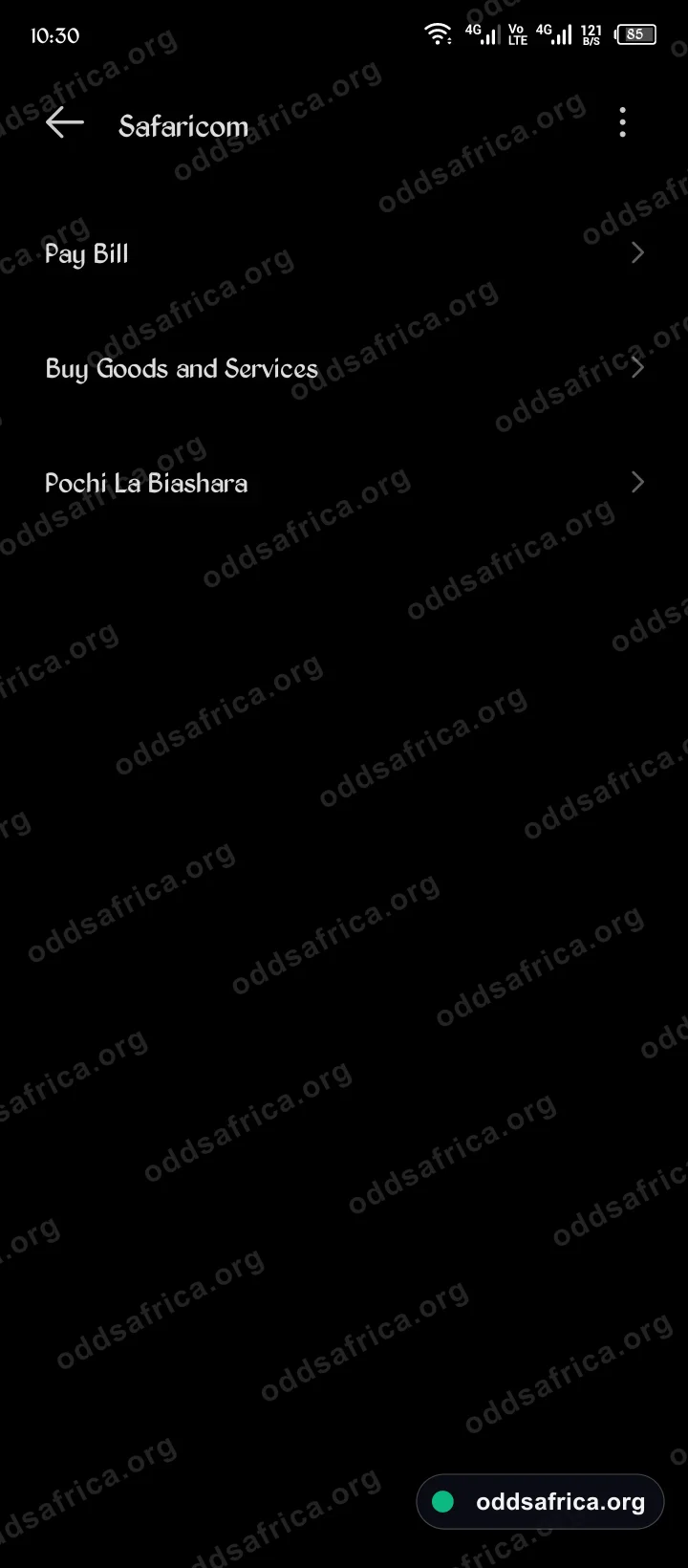
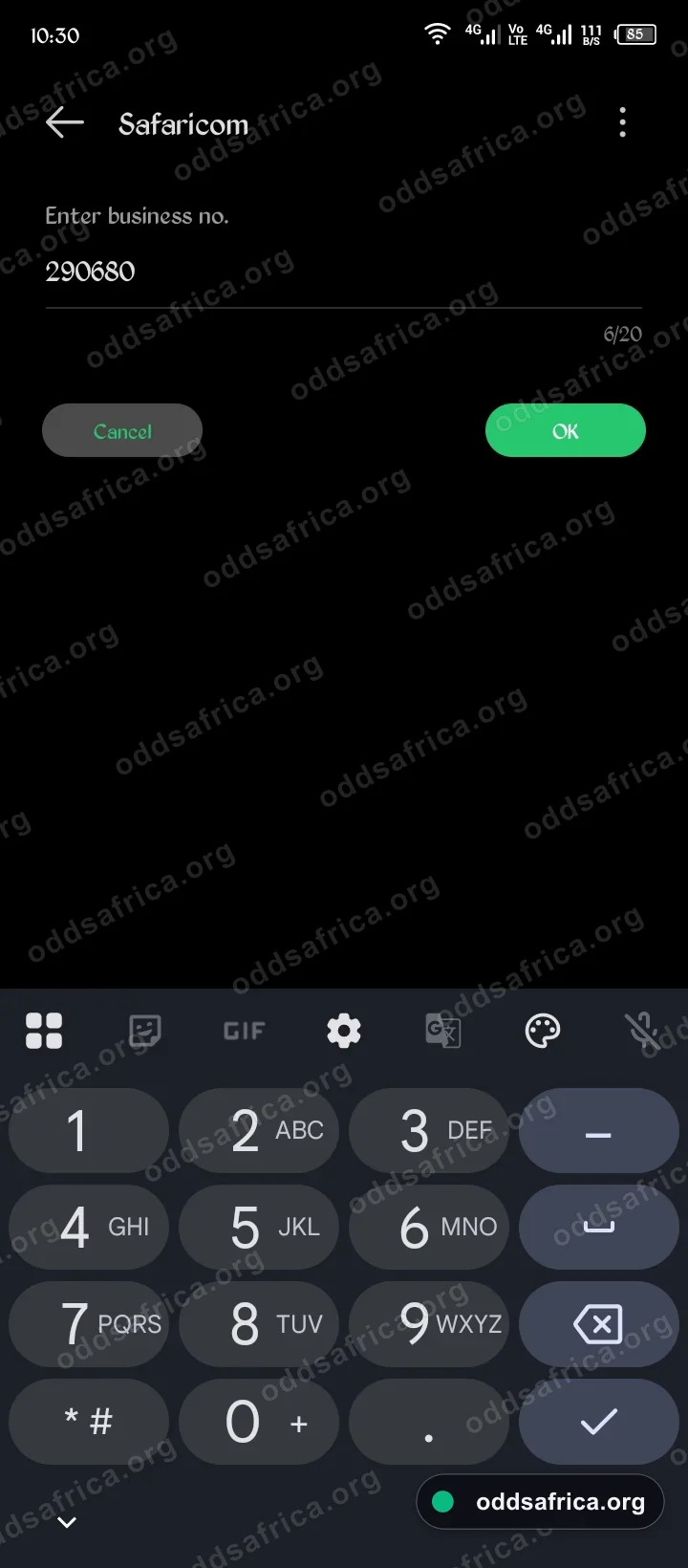
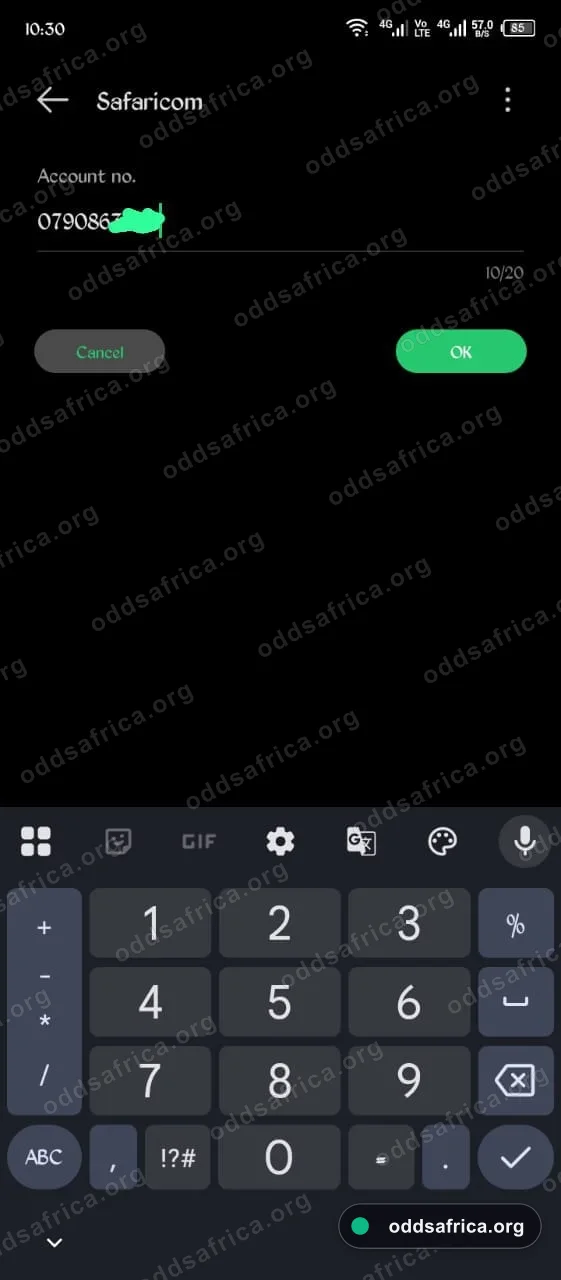
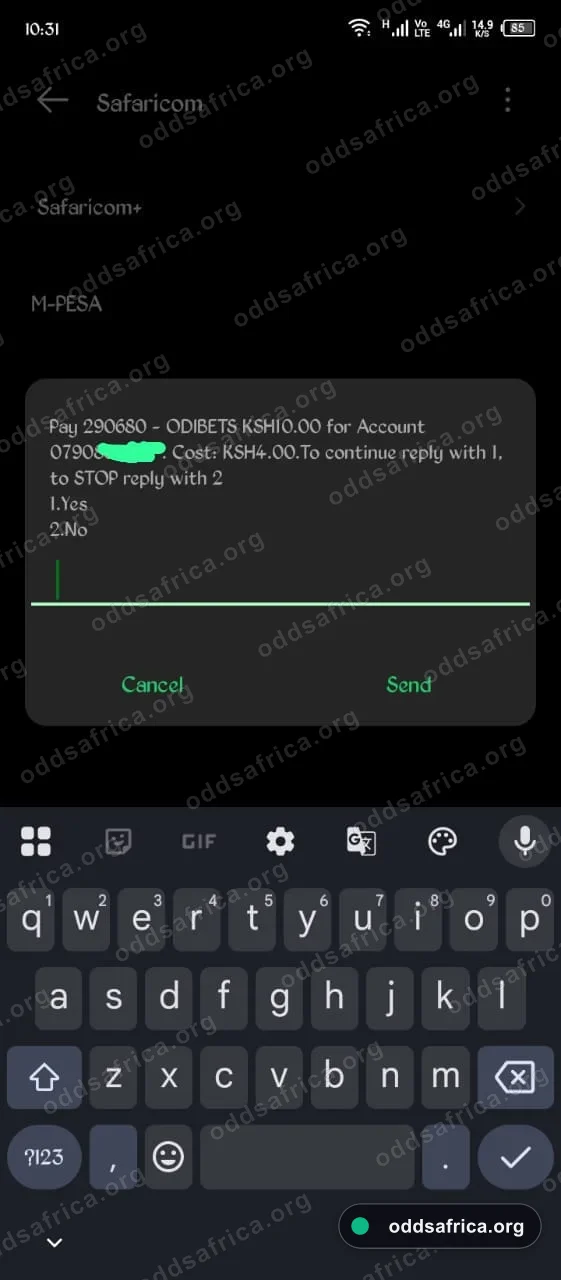
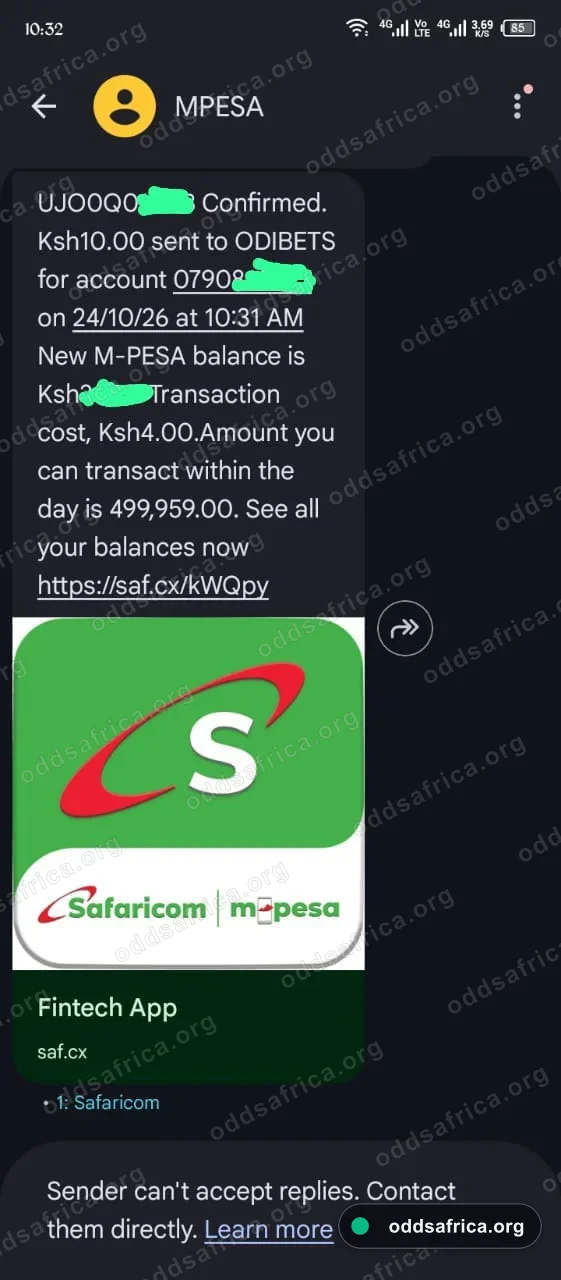
Verified In-App M-Pesa Confirmation
Direct Safaricom Lipa na M-Pesa deposit to Paybill 290680 verified on live smartphone. Account credits instantly with zero Safaricom tariff surcharge.
Manual SIM Toolkit Backup: If the STK prompt does not trigger, use Lipa na M-Pesa Paybill 290680 with account name ODI.
Is There an Odibets App for iOS (iPhone & iPad)?
Odibets does not currently provide a native .ipa download on the Apple App Store. However, iPhone and iPad users can set up an identical full-screen experience using Apple Safari's Progressive Web App (PWA) feature:
- Open Safari on your iPhone and navigate to odibets.com.
- Tap the Share button (the square icon with an upward-pointing arrow) at the bottom center of the browser.
- Scroll down through the menu and select "Add to Home Screen" (Kwenye Skrini ya Kwanza).
- Tap Add in the top right corner.
- An official Odibets app icon will appear on your iOS home screen, launching full-screen without Safari browser bars.
Odibets App vs Mobile Browser Version
| Feature | Odibets Android App (APK) | Mobile Browser (Chrome/Safari) |
|---|---|---|
| Data Consumption | Ultra Low (~2.5 MB cached) | Moderate (Reloads assets every session) |
| Odds Refresh Speed | Instantaneous (Socket-fed) | 1 – 3 Seconds Latency |
| Session Persistence | Keeps user logged in automatically | Requires periodic re-login |
| App Exclusive Bonuses | "Zoza na App" + Daily Cashback | Standard promotions only |
| Push Notifications | Real-time bet settlement alerts | Not available on iOS web |
Pros of Odibets App
- Incredibly compact file size of only 2.5 MB (Odibets Lite).
- Runs smoothly on budget smartphones (Tecno, Infinix, Itel) with 1GB RAM.
- Exclusive 'Zoza na App' promotions and daily cash giveaways.
- Instant M-Pesa STK Push deposits without memorizing Paybill numbers.
- Zero-lag access to Odi League virtuals and Spribe Aviator.
Cons of Odibets App
- No native iOS application in the Apple App Store (requires Safari PWA shortcut).
- Requires manual installation by enabling 'Install from Unknown Sources' in Android.
Check out the full platform review, Paybill 290680 deposit limits, and Spribe Aviator crash game.
Frequently Asked Questions: Odibets Mobile App
Verified setup guidelines, M-Pesa compatibility, and security details for Odibets Kenya.